The short version
If you only read one part of this page, read this table. Everything below it explains one of these rows in more detail.
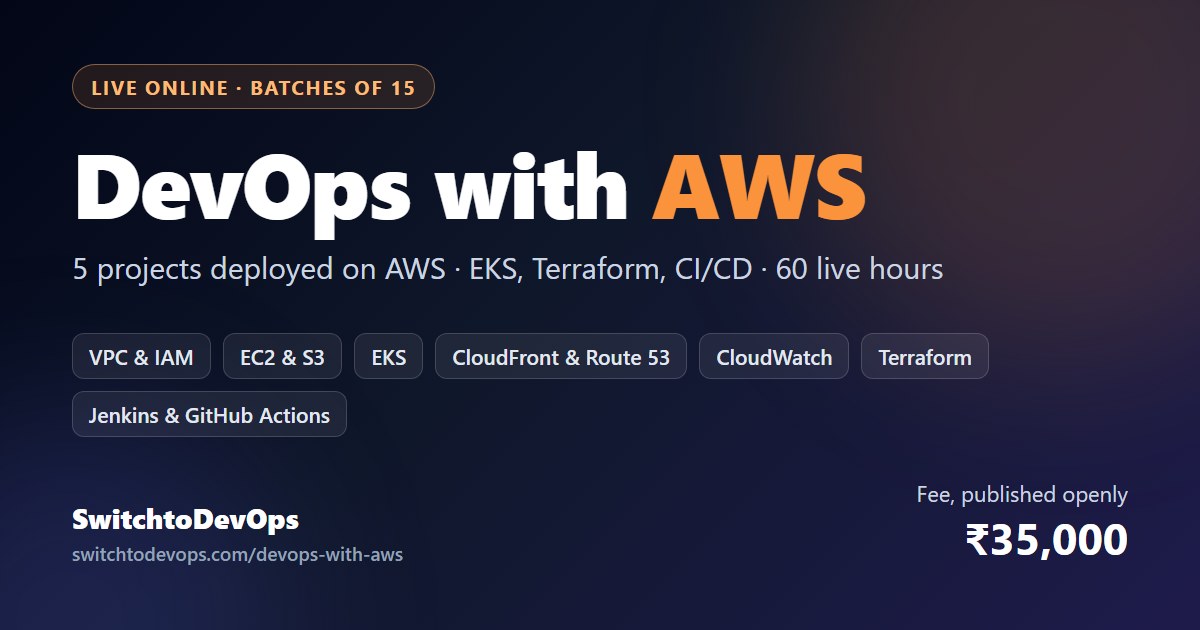
| DevOps with AWS (Professional course) | |
|---|---|
| Format | Live online classes with the instructor, every session recorded. No classroom anywhere. |
| Length | 60 live hours over 10 weeks. The Expert course runs 150 hours over five months. |
| Batch size | No more than 15 people. |
| Where you build | Your own AWS account, billed by AWS for what you use (the fee includes no AWS credits), with a budget alert set before week 1. |
| AWS services you use | IAM, VPC, EC2, Elastic Load Balancing, RDS, S3, ECR, Amazon EKS, CloudFront, Route 53, Certificate Manager, CloudWatch, Secrets Manager. |
| Tools around them | Linux, Git, Docker, Kubernetes, Terraform, Jenkins, GitHub Actions, Prometheus, Grafana, ELK, Trivy, Checkov. |
| Projects | Five, each running at a public URL you can open in front of an interviewer. |
| AWS exams it prepares you for | Solutions Architect – Associate (SAA-C03) first; groundwork for DevOps Engineer – Professional (DOP-C02). |
| Fee | ₹35,000, or three monthly instalments of ₹11,667 with no interest. No GST added. Full refund within 7 days of enrolling. |
| Placement | Assistance (resume, mock interviews, referrals). Not a job guarantee. |
The course as a whole, including both course certificates and the full syllabus, is described on the DevOps certification course page. This page sticks to the AWS side.
What “DevOps with AWS” means once you are doing the work
DevOps is a way of working: small changes, automated tests and deployments, infrastructure written as code, and the people who build a service caring about how it runs. AWS is where a large share of Indian companies run that work, which is why so many DevOps job descriptions here name it. Learning DevOps with AWS means building those habits on the platform you are most likely to be questioned about in an interview.
Three things change when the work happens on AWS instead of on a laptop or a single server.
Identity becomes the security boundary. Most AWS incidents that make the news are IAM incidents in disguise: an access key pushed to a public repository, or a role with far more permission than its job needed. So IAM gets more of our time than students expect, and none of the pipelines in this course store a long-lived AWS access key.
The network is something you design. A VPC with public and private subnets, route tables and security groups is the first thing interviewers poke at, because it shows whether you know where traffic can and cannot go. Getting a single page to load is easy. Explaining why the database cannot be reached from the internet is the part that gets people hired.
The bill is part of the design. On AWS, a forgotten NAT gateway or an idle Kubernetes cluster keeps charging by the hour whether anyone uses it or not. Engineers who think about cost get noticed, and the habit is easiest to build while it is your own money at stake.
What we do not do is tour AWS. AWS describes itself as offering more than 200 services. A working DevOps engineer touches perhaps fifteen of them in a normal week, and those are the ones this course goes deep on. You will leave knowing how to find your way around the rest, which is a more useful skill than having clicked through all of them once.
The AWS services you will use, week by week
The syllabus is the same one the whole course follows. This view picks out what happens on AWS each week and what should exist in your account by the time the week ends.
| Week | Focus | AWS you work with | In your account by the end of the week |
|---|---|---|---|
| Before week 1 | Account set-up | Root-user MFA, a separate admin login, a budget alert | An account that is safe to practise on |
| 1 | Linux and Git | None yet; this week is about the command line | Your first automation scripts, versioned in Git |
| 2 | AWS core | VPC, subnets, security groups, EC2, IAM roles, S3, RDS, CloudWatch | A three-tier app in a properly segmented VPC |
| 3 | Docker | Amazon ECR | A containerised microservices app, its images in your registry |
| 4 | Kubernetes | Amazon EKS, Elastic Load Balancing, autoscaling | Those services running on EKS and scaling under load |
| 5 | CI/CD | Jenkins on EC2, GitHub Actions authenticating through OIDC, ECR, EKS | A pipeline from commit to EKS, with no stored AWS key |
| 6 | Terraform | AWS provider, remote state in S3 with native locking | Weeks 2 to 4 rebuilt from code, removable with one command |
| 7 | Monitoring | CloudWatch metrics, logs and alarms; Prometheus and Grafana on EKS | Dashboards, and alerts that fire when something breaks |
| 8 | DevSecOps | Secrets Manager, least-privilege IAM, image and IaC scanning | A pipeline that stops a leaked secret or a vulnerable image |
| 9–10 | Capstone | Everything above, together | The capstone, documented and ready to present |
Week 2 is where the course is won or lost, and it is easy to underestimate because nothing in it looks dramatic. Two subnets and a security group rule do not feel like progress. But almost every later week depends on it: EKS lives inside the VPC you design here, the pipeline in week 5 assumes the IAM roles from here, and the Terraform in week 6 rebuilds exactly this network from code. People who rush week 2 spend week 4 debugging it.
Week 4 is the first time you meet a bill you can feel. An EKS cluster has an hourly charge before a single application runs on it, so from this point every lab ends with tearing the cluster down. Doing that repeatedly is also how Terraform stops being an abstract idea: by week 6 you will be glad you never have to build that cluster by hand again.
Week 5 is where the pipeline gets its AWS permissions. The lazy way is to paste an access key into a CI secret. The way we teach is OpenID Connect: GitHub Actions asks AWS for short-lived credentials for one specific role, so there is nothing long-lived to leak. Our CI/CD pipeline guide shows what a complete workflow file looks like.
The five projects, and how each one is put together on AWS
Each project finishes at a public URL. Below is what runs where, the decision in each that actually matters, where beginners get billed by accident, and the question an interviewer is most likely to ask about it.
01Three-tier e-commerce app on EC2 and RDS
What runs where. An Application Load Balancer sits in two public subnets. The application runs on EC2 in private subnets, and the database runs on RDS in a separate pair of private subnets. Security groups are chained: the load balancer accepts traffic from the internet, the app accepts it only from the load balancer’s security group, and the database only from the app’s. The instances get their permissions from an IAM role, never from a key file on disk.
The decision that matters. How instances in a private subnet reach the internet for package updates. The textbook answer is a NAT gateway, and it bills by the hour plus for every gigabyte it processes. We build it, explain the alternatives, and delete it at the end of the session.
The interview question. “Your database is in a private subnet. How does a developer run a query against it?” A strong answer uses Session Manager port forwarding rather than opening SSH to the world, and can say why.
02Microservices blog platform on Amazon EKS
What runs where. Several small services, each with its own image in ECR, deployed to an EKS cluster with managed worker nodes, a load balancer in front and the Horizontal Pod Autoscaler adding replicas under load.
The decision that matters. EKS or ECS. We use EKS because Kubernetes goes with you to any cloud and to most interviews. ECS is simpler, and since November 2025 its Express Mode can turn a single container image into a running web service with a load balancer and scaling included. It is worth knowing that option exists, especially for small teams.
Where people get billed. The EKS control plane costs 0.10 US dollars an hour on standard support, roughly 73 dollars a month, before any node runs. Clusters on Kubernetes versions past standard support move to extended support at 0.60 dollars an hour. That is why the cluster is created from code at the start of a session and destroyed at the end.
The interview question. “One service starts failing. What happens to the others, and how would you find out?” The answer involves readiness probes, timeouts and the alert that should have fired, which is why monitoring comes back in week 7.
03Portfolio site on S3 and CloudFront, deployed automatically
What runs where. Static files in a private S3 bucket, served only through CloudFront using origin access control. Route 53 handles DNS, AWS Certificate Manager issues the TLS certificate, and GitHub Actions deploys on every push and clears the CloudFront cache.
The decision that matters. Where the certificate lives. A certificate used by CloudFront has to be requested in the US East (N. Virginia) region, even if everything else you run is in Mumbai. Students lose an evening to this every batch; now you won’t.
Where people get billed. Almost nowhere. At portfolio traffic this costs very little; a Route 53 hosted zone has a small monthly charge, and the domain itself costs whatever your registrar charges.
The interview question. “Why not just make the bucket public?” Because a private bucket behind CloudFront has one way in, serves over HTTPS on your own domain and caches close to the visitor.
04REST API with a Jenkins pipeline
What runs where. Jenkins on an EC2 instance that takes its AWS permissions from an instance role. The pipeline checks out the code, builds it, runs the unit tests, scans the image with Trivy, pushes it to ECR, deploys to EKS and runs a quick smoke test against the new version.
The decision that matters. What happens on failure. If the tests or the scan fail, nothing is deployed. If the smoke test fails after deployment, the pipeline rolls back to the previous image tag. Writing that path is the part most tutorials skip.
Where people get billed. The Jenkins instance, if it runs all week for a pipeline that runs twice. Stop it between sessions.
The interview question. “The tests fail halfway through a release. What do your users see, and how do you get back to the last good version?”
05Capstone: an end-to-end stack on AWS
What runs where. Terraform creates the VPC, the EKS cluster, its node groups and the IAM roles, with state kept in S3 and locked natively (Terraform 1.10 and later can do this without a DynamoDB table, and HashiCorp now marks the DynamoDB approach as deprecated). Jenkins ships the application, Prometheus and Grafana watch it, ELK collects the logs, Trivy and Checkov guard the pipeline, and secrets come from Secrets Manager.
The decision that matters. Knowing what you would change for real production: nodes spread across more Availability Zones, backups you have actually restored from, a private API endpoint for the cluster, and cost tags on everything.
Where people get billed. This is the most expensive project if it is left running, so it is built for demos and destroyed afterwards. Rebuilding it takes one Terraform command, which is the point.
The interview question. “Draw your architecture, then tell me the first thing that breaks at ten times the traffic.”
Every project ends with a short README, a diagram and a note on one thing that went wrong while you built it. Interviewers remember the mistake you found far longer than the tools you list.
AWS’s own DevOps tools, or the portable ones?
AWS has a native service for almost every DevOps job. We teach some of them directly and teach portable tools for the rest. Here is the reasoning, so you can judge it for yourself.
| Job | AWS’s own option | What we teach first | Why |
|---|---|---|---|
| Source control | CodeCommit | GitHub | CodeCommit stopped taking new customers in July 2024 and returned to general availability in November 2025. It works, but most teams you will interview with keep their code on GitHub or GitLab. |
| CI/CD | CodePipeline, CodeBuild, CodeDeploy | Jenkins and GitHub Actions, plus a CodePipeline walkthrough | Far more job descriptions ask for Jenkins and GitHub Actions. Stages, artefacts and approvals work the same way in all three. |
| Infrastructure as code | CloudFormation, CDK | Terraform | Terraform works across clouds and is the IaC tool most job descriptions name. You will still read CloudFormation, because a lot of AWS documentation uses it. |
| Containers | ECS with Fargate | Kubernetes on EKS | Kubernetes skills transfer to any cloud. ECS is simpler and worth recognising, Express Mode especially. |
| Observability | CloudWatch, X-Ray | CloudWatch plus Prometheus, Grafana and OpenTelemetry | AWS moved the X-Ray SDKs and daemon into maintenance mode in February 2026 and recommends OpenTelemetry, so that is what we instrument with. |
| Secrets | Secrets Manager, Parameter Store | Secrets Manager, with a look at Vault | On AWS, use the native store unless you have a specific reason not to. |
This is not an argument against AWS’s own tools. Plenty of good teams run entirely on CodePipeline and CloudFormation, and if you join one, the concepts you already know will carry over within a week or two. The choice is about which skills open the most doors first.
You also will not find AWS OpsWorks or AWS CodeStar in our syllabus. AWS shut both down in 2024, and CodeCatalyst stopped accepting new customers in November 2025. If a course you are comparing still lists them, its syllabus has not been reviewed in a while, which is worth knowing before you pay for it.
What learning on AWS costs, and how to keep it close to zero
This is the question people ask us most and the one other course pages skip. You learn on your own AWS account, because that is how you will work and because the account becomes part of your portfolio. Here is how billing actually works for a new learner in 2026.
Plan on paying AWS for what you use. The course fee includes no AWS credits. AWS advertises sign-up credits on its free plan, but do not build your plan around them: assume none will be there when you open your account, and that every resource you leave running will show up on your bill. The steps below are how you keep that bill small.
Spend limits are arriving. In September 2026 AWS began rolling out a new sign-up experience that lets you set a monthly spend limit on a paid-plan project, starting at 20 dollars. When spend reaches the limit, AWS pauses the project instead of letting the bill grow. If your account offers it, set one. If it does not yet, a budget alert is the minimum, and we check that everyone has one before week 1.
The things that bill while you sleep
| Resource | How it bills | What we do in class |
|---|---|---|
| EKS cluster | 0.10 US dollars per cluster-hour on standard support (about 73 a month); 0.60 on extended support | Created with Terraform at the start of a session, destroyed at the end |
| NAT gateway | An hourly charge plus a charge for every gigabyte processed | Only when a lab needs it, deleted the same day |
| Public IPv4 addresses | 0.005 US dollars per address per hour since February 2024, attached or idle | Release Elastic IPs you are not using; keep things private where possible |
| Load balancers | An hourly charge plus usage | Removed with the stack that created them |
| RDS databases | Per instance-hour, plus storage | Smallest instance class, deleted after the project. A stopped RDS instance restarts by itself after seven days, so stopping is not enough |
| EBS volumes and snapshots | Per gigabyte-month, even when detached | A clean-up check at the end of every project |
Prices differ from region to region, so treat the dollar figures above as the published standard rates rather than what you will see in every region. We work in Asia Pacific (Mumbai), ap-south-1, for lower latency from India. Asia Pacific (Hyderabad), ap-south-2, is newer and has to be switched on in your account before you can use it.
Two habits cost nothing and matter more than any of the above. Turn on MFA for the root user on day one; AWS now requires it within 14 days of your first sign-in anyway. And never create access keys for the root user. Day-to-day work happens as a separate admin user, the same way it would at a company.
Which AWS certification to take first
Most AWS DevOps course pages point you straight at the DevOps Engineer – Professional exam. For someone switching careers, that is usually the wrong first exam: AWS recommends two or more years of hands-on experience running AWS environments before attempting it. This is the order we suggest instead.
| Exam | Code | Fee | Valid for | Our view |
|---|---|---|---|---|
| Cloud Practitioner | CLF-C02 | $100 | 3 years | Optional. Useful for non-technical roles; skip it if you are going for the Associate exam. |
| Solutions Architect – Associate | SAA-C03 | $150 | 3 years | Take this first, two to four weeks after the course ends. Projects 1 to 3 cover most of its scenarios. |
| CloudOps Engineer – Associate (formerly SysOps Administrator) | SOA-C03 | $150 | 3 years | A good second exam if your work leans towards operations. Renamed in September 2025, so older study guides use the old name. |
| Developer – Associate | DVA-C02, replaced by DVA-C03 from 1 Dec 2026 | $150 | 3 years | For developers. Check which version you are booking; material written for C02 will not map exactly onto C03. |
| DevOps Engineer – Professional | DOP-C02 | $300 | 3 years | The long-term goal, once you have real AWS work behind you. Our exam guide covers it in detail. |
Fees are set in US dollars. AWS also publishes rupee prices for vouchers bought through Pearson: about ₹12,830 for an Associate exam and ₹25,659 for the Professional. If English is not your first language, you can request 30 extra minutes. And once you pass one AWS exam, AWS gives you a 50 percent discount voucher for your next one, which makes the Associate-then-Professional route cheaper than it first looks.
For the Professional exam itself, our AWS DevOps Engineer Professional exam guide covers the format, the six domains and their weightings, and a preparation plan that assumes you have a job and limited evenings.
Is this AWS DevOps course right for you?
It suits you if
- You work in testing, support, operations or development and want to move into a DevOps role.
- You are a fresher who can put in 12 to 16 hours a week, practice included, for ten weeks.
- You learn better with a fixed weekly class, a small group and someone checking your work.
- You want projects you can show, not only a certificate you can mention.
Pick something else if
- You only want to pass the DevOps Engineer – Professional exam quickly. Practice exams and AWS Skill Builder will cost you less.
- You already run production workloads on AWS. Look at the Expert course, or plan your own study.
- The employer you are aiming at is Azure-only. Most of the skills transfer, but the labs here are AWS.
- You cannot find the weekly hours right now. Waiting for a later batch is better than falling behind in week 4.
If you are coming from outside IT altogether, read switching to DevOps from a non-IT background first. It is honest about how long the switch takes.
How to compare AWS DevOps courses in India
In November 2026 we read the five AWS DevOps course pages that come up most often when you search for one. Whoever you end up choosing, a few patterns are worth knowing:
- One still called the AWS DevOps exam DOP-C01, a version AWS retired in 2023.
- Two still listed AWS OpsWorks in their syllabus, a service AWS shut down in 2024.
- Only two showed a price in rupees on the page, and only one spelled out its refund terms.
- None explained what students pay AWS during the labs, or which AWS exam to take first.
None of that means those courses are bad. It means you should ask before paying. These questions work on anyone, us included:
- Is the price on the page, and does it include GST?
- Whose AWS account do the labs run on, and who pays for what they use?
- Can I see the architecture of the projects, not just their names?
- Which AWS exam do you recommend first, and why that one?
- When was the syllabus last reviewed? (OpsWorks, CodeStar or DOP-C01 suggest not recently.)
- Is the refund policy on a page I can save, with the number of days stated?
- Are the placement figures for this course or for the whole institute, and who checked them?
- Can I watch a recording of an ordinary class, not just the demo?
For a wider look at course formats and what each is good for, see how to choose a DevOps training institute.
Fees, instalments and refund
The Professional course is ₹35,000 for 60 live hours over 10 weeks, or three monthly instalments of ₹11,667 with no interest. The Expert course is ₹80,000 for 150 hours over five months and adds advanced Kubernetes, service mesh, multi-cloud, DevSecOps, SRE practice and one-to-one mentorship. No GST is added to either. If you change your mind within 7 days of enrolling, you get a full refund, no questions asked.
Two things sit outside the course fee: the AWS exam fee, paid to AWS when you book, and whatever you spend on AWS itself, which the cost section above shows how to keep small. The complete breakdown, with what to check on any other institute’s fee, is on our DevOps course fees page.
Placement assistance on this course
Your resume is rebuilt around the five AWS projects, mock interviews include AWS architecture questions like the ones above, and we refer you where we have a genuine connection. It is assistance, not a guarantee. Reported packages are roughly ₹8–16 LPA, self-reported by alumni; how every figure is counted is on the placement outcomes page, and what the assistance includes is set out on the DevOps course with placement assistance page.
Who teaches it
Classes are taught live by Pritam Phadtare, an AWS Certified Solutions Architect and ex-DevOps Lead at Maxgen Technologies Pvt. Ltd. The same instructor takes your batch from week 1 to the capstone, which is how the feedback on your projects stays specific to you. The easiest way to judge the teaching is to watch it: book the free 45-minute demo below and ask whatever you like.
AWS DevOps Course: Frequently Asked Questions
What is an AWS DevOps course?
+
It is a DevOps course where the practice happens on Amazon Web Services: you automate builds, tests and deployments, write infrastructure as code and run containers on Kubernetes, all on AWS. A good one also teaches the AWS fundamentals underneath, especially IAM and VPC networking, because that is where most real AWS mistakes happen. Ours is 60 live hours over 10 weeks with five projects deployed on your own AWS account.
How long does the AWS DevOps course take?
+
The Professional course is 60 live hours over 10 weeks. The Expert course is 150 hours over five months. If you plan to sit the AWS Solutions Architect – Associate exam afterwards, add two to four weeks of focused exam practice once the course ends.
Do I need coding or AWS experience before joining?
+
No. The course starts with Linux and Git, and the AWS fundamentals come in week 2. You do need to be comfortable typing commands and reading error messages, and you need roughly 12 to 16 hours a week, including practice between classes. Scripting is taught as you go; you do not need to be a software developer.
Will I have to pay AWS while I learn?
+
Yes, usually a small amount, billed by AWS rather than by us. The course fee includes no AWS credits, and you should not plan around free credits from AWS either. The things that bill by the hour, like an EKS cluster or a NAT gateway, are created at the start of a session and destroyed at the end, and every student sets a budget alert before week 1.
Which AWS certification should I take first?
+
For most people switching into DevOps, AWS Certified Solutions Architect – Associate (SAA-C03) is the right first exam. The DevOps Engineer – Professional exam (DOP-C02) is the longer-term goal: AWS recommends two or more years of hands-on experience running AWS environments before you attempt it.
Is the AWS exam fee included in the course fee?
+
No. Exam fees are paid to AWS when you book: 150 US dollars for an Associate exam and 300 for the DevOps Engineer – Professional. Once you pass one AWS exam, AWS gives you a 50 percent discount voucher for your next one.
Do you teach AWS CodePipeline, or only Jenkins?
+
Pipelines are built mainly with Jenkins and GitHub Actions, because those are the tools most job descriptions ask for, and we walk through how the same pipeline looks in CodePipeline so you can work on an AWS-native team. The concepts (stages, artefacts, approvals, rollbacks) are the same in all three.
Is DevOps with AWS a different course from your DevOps certification course?
+
No, it is the same live course. This page explains the AWS side of it in detail: the services, how each project is built on AWS and which AWS exam to take. The certification course page covers the course as a whole, including both course certificates.
What salary can an AWS DevOps engineer expect in India?
+
On the bands we use across this site, freshers usually start around 3.5 to 6 LPA (5 to 8 LPA at product companies), engineers with three to five years earn around 12 to 20 LPA (15 to 28 LPA at product companies), and seniors with five to eight years around 18 to 35 LPA. AWS skills help you reach the top of a band rather than adding a separate premium.
Is placement guaranteed after the AWS DevOps course?
+
No. Placement assistance is included: your resume rebuilt around the five AWS projects, mock interviews with AWS architecture questions, and referrals where we have a genuine connection. Nobody can honestly guarantee you a job, and how we count our placement figures is published on the placement outcomes page.
Is the course online or in a classroom?
+
Online only. Classes are live, with the instructor building alongside you, and every session is recorded so you can revisit it. There is no classroom in any city, which is also why the fee is the same wherever you live.